Clapova vs Luma: Ray3.2 and creative agents or a video studio in French (2026)
By The Clapova team · Published · Updated · 7 min read

In short
- Luma fits agencies and studios who want a cinematic look (Ray3.2, HDR) and agents that run a whole creative project; Clapova fits creators and small businesses who want to make short videos in French, from clip to published post.
- Luma AI (Redwood City, California) builds the Ray3.2 video model and the UNI-1.1 image model. Its app combines agents with third-party models such as Seedance, Kling, Veo 3.1 and MiniMax H3 (checked October 16, 2026).
- Entry price: Luma Plus at $30 a month (10,000 credits), Clapova Découverte at €19 a month including VAT (260 credits). The two tools' credits do not measure the same thing.
- Free: Luma lets you try the platform before choosing a plan, without stating how much; Clapova gives 20 credits a day, 60 a month at most, video included, with a watermark and at 720p.
This article compares Clapova and Luma head to head. It is designed in France, the company behind Clapova: we cite our sources and say when Luma is the better fit.
Luma at a glance
Luma AI is a company founded in 2021 and based in Redwood City, California (Luma llms.txt, checked October 16, 2026). Many people know it through Dream Machine, its video generation tool. In October 2026, its site highlights two in-house models: Ray3.2 for video (text, image or video to video, character reference, keyframes, an HDR pipeline) and UNI-1.1 for images.
The Luma app brings together agents that research, generate and refine a project across video, image, audio and text. It also gives access to third-party models: Seedance, Kling, Veo 3.1, MiniMax H3, FLUX 3, Nano Banana, GPT Image and ElevenLabs voices and music (pricing page, checked October 16, 2026). For editing, the FAQ lists trimming, extending a clip, reframing, adding audio and upscaling up to 4K HDR (app FAQ). Luma also offers an API.

Clapova at a glance
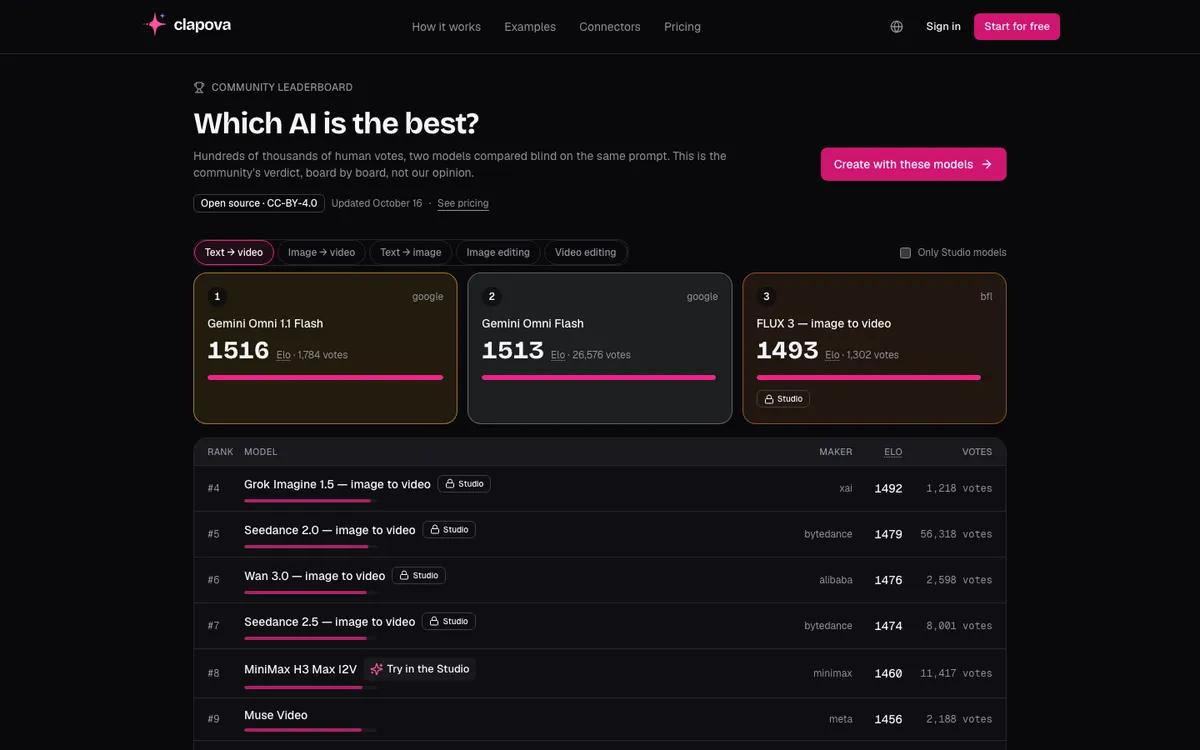
Clapova is a web-based AI video studio designed in France. The interface and the Agent work in French, with an English version. Clapova brings together 37 video engines and tools (MiniMax H3, Kling 3.0 Pro, Seedance 2.5, Wan 3.0, Veo 2, Luma Dream Machine 1.5…) plus image, voiceover and music engines, paid in credits. The engine leaderboard shows LMArena's public votes every day to help you choose.
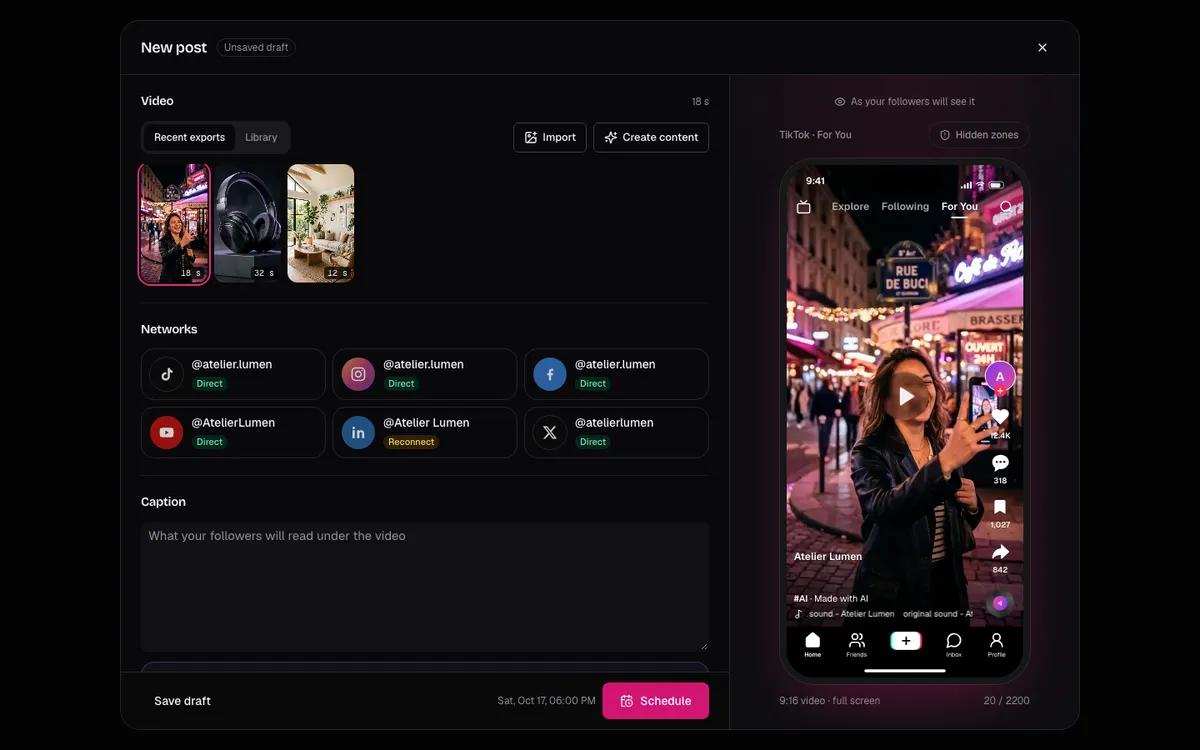
The Studio adds a multitrack editor (video, audio, text), 10 editing templates the Agent fills in, a calendar and a publishing tool. A generated clip lasts 10 seconds (8 for Veo), in 16:9 or 9:16, up to 1080p. Clapova offers no 4K, no mobile app and no team mode.
Clapova vs Luma: quick comparison
The Luma cells come from its official pages (checked October 16, 2026). When a page says nothing on a point, we say so.
| Criterion | Clapova | Luma |
|---|---|---|
| Main use | Generate, edit and prepare short videos for social media | Creative production with agents, cinematic look, teams and agencies |
| Engines | MiniMax H3, Kling 3.0 Pro, Seedance 2.5, Wan 3.0, Veo 2, Luma Dream Machine 1.5… | Ray3.2, Ray3.14, UNI-1.1 and third-party models (Seedance, Kling, Veo 3.1, MiniMax H3…) |
| Editing | Multitrack editor for video, audio and text; 10 editing templates | Trim, extend, reframe, add audio; no timeline described in the FAQ |
| Voice and music | Voiceover, voice cloning, music, sound effects | ElevenLabs music, sound effects and voiceover; music up to 5 minutes |
| Formats | 16:9 and 9:16; 480p, 720p, 1080p; no 4K | Up to 4K HDR through upscaling; native HDR with Ray3.2 |
| Publishing | Calendar; direct posting to Facebook and Instagram, assisted posting elsewhere | No social publishing found on the pages we read |
| Interface language | Native French, English | English (lumalabs.ai/fr returns 404); prompts accepted in major languages |
| Free plan | 20 credits a day, 60 a month at most; watermark, 720p | Free trial announced, amount not stated |
| Entry price | Découverte €19 a month incl. VAT, 260 credits | Plus $30 a month ($25 billed yearly), 10,000 credits |
| API and MCP | MCP server (Claude, ChatGPT, Cursor) | Official API; no official MCP server found |
Luma and Clapova pricing
Luma's official plans, in US dollars (lumalabs.ai/pricing, checked October 16, 2026):
- Plus: $30 a month or $25 billed yearly, 10,000 credits; Luma and third-party models, commercial use, guest editors.
- Pro: $90 a month or $75 billed yearly, 40,000 credits; 4x agent usage.
- Ultra: $300 a month or $250 billed yearly, 150,000 credits; 15x agent usage.
- Team and Enterprise: on quote, with member management, shared credits and SSO.
Luma lists a 10-second 720p Ray3.2 clip at 300 credits. With Plus's 10,000 credits, that is about 33 clips a month, or roughly $0.90 per clip (our math). The pricing page shows no free plan; the FAQ says you can try the platform before paying.
Clapova plans cost €0, €19, €59 and €129 a month including VAT, for 60 (at most), 260, 820 and 1,800 credits. A 10-second 720p clip costs 14 credits with MiniMax H3 Max (free plan included) and 12 credits with Luma Dream Machine 1.5 (Créateur plan), about €1 and €0.86 at the Créateur rate. Ray3.2 is not in the catalog. The per-engine list is on the Pricing page.
When to choose Luma
- You want Ray3.2, with its keyframes, character reference and HDR output.
- You deliver in 4K HDR. Clapova stops at 1080p.
- You work as a team: Luma has Team and Enterprise plans, Clapova has no team mode.
- You want to hand a whole project to agents that keep the brief's context through delivery.
When to choose Clapova
- You want an interface, an Agent and prices in French, in euros including VAT.
- You want to test every day for free, video included: 20 credits a day, 60 a month at most, with a watermark and at 720p.
- You want to edit your shots on a multitrack timeline, with voiceover, music and text.
- You want to go from clip to post to calendar, with direct posting to Facebook and Instagram.
More comparisons in the series: Clapova vs Runway, Clapova vs Pika and Clapova vs Sora.
Verdict
Luma targets productions that need a cinematic look, HDR and teamwork, with agents carrying the project. Clapova targets short videos for social media, made in French and published from the same tool. If you are unsure, run the same prompt on both. On the Clapova side you can start without a credit card: create a free account.
Frequently asked questions
How much does Luma Dream Machine cost?
According to lumalabs.ai/pricing (October 16, 2026): Plus $30 a month (10,000 credits), Pro $90 (40,000 credits), Ultra $300 (150,000 credits). Billed yearly: $25, $75 and $250 a month. Team and Enterprise are on quote.
Does Luma have a free plan?
The pricing page shows none. The app FAQ says you can try the platform before choosing a plan, without stating the number of credits (October 16, 2026). Clapova gives 20 credits a day, 60 a month at most.
Can you use Luma in French?
The site has no French version (lumalabs.ai/fr returns a 404 error). The FAQ says Luma is trained mainly in English and accepts prompts in major languages. Clapova is built in French.
Does Clapova offer Luma's models?
In part. Clapova's catalog includes Luma Dream Machine 1.5, at 12 credits per 10-second 720p clip from the Créateur plan. Ray3.2 and UNI-1.1 are not in it.
Does Luma have an MCP server?
We found no official Luma AI MCP server on October 16, 2026; Luma offers an API. Clapova has an MCP server for Claude and other assistants.
Try Clapova for free
20 free credits every day, no credit card required. Compare it with your current tool on the same prompt.
Sources (checked 10/16/2026)
- Luma AI, pricing page (accessed October 16, 2026)
- Luma AI, llms.txt (accessed October 16, 2026)
- Luma AI, Luma app FAQ (accessed October 16, 2026)
- Luma AI, home page (accessed October 16, 2026)
- Luma AI, /fr address (404 error on October 16, 2026)
- Clapova, pricing page (accessed October 16, 2026)
Product names and trademarks mentioned belong to their respective owners. Third-party facts were checked on the date shown above and may have changed since.